


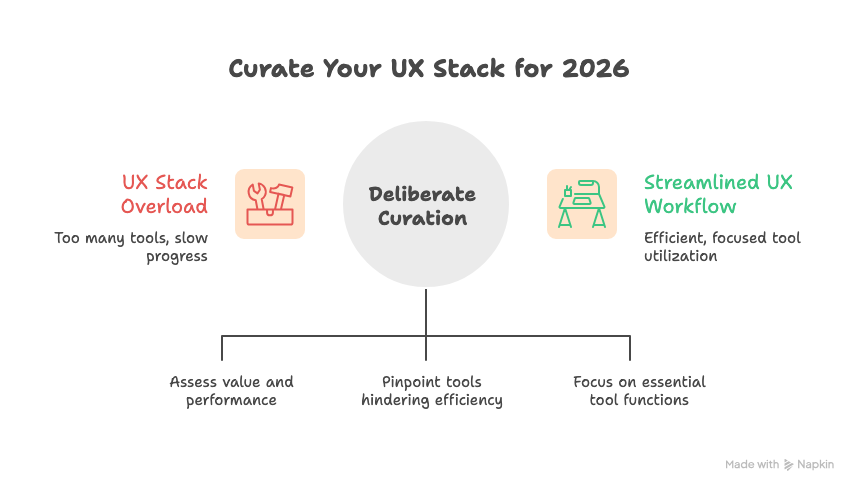
Every year, new tools promise speed, insight, and leverage. By 2026, the problem is no longer access. It is overload. Strong UX teams are not adding more tools. They are curating deliberately.
This issue helps you evaluate your UX stack with clarity. What still earns its place. What quietly slows you down. And what matters more than the tool itself.
In This Issue
• Why UX stacks are being trimmed
• What makes a tool worth keeping
• The 2026 Keep list
• The 2026 Drop list
• What to rethink instead of replace
• Resource Corner
Why UX stacks are being trimmed
More tools do not equal better work.
They often mean more handoffs, more setup, and more cognitive load.
Cognitive load means the mental effort required to switch contexts or manage complexity.
By 2026, teams are prioritizing:
• Fewer tools
• Clear ownership
• Faster decisions
• Less duplication
• Stronger fundamentals
The goal is not a bigger stack.
The goal is a stack that supports thinking.
What makes a UX tool worth keeping
Before looking at specific tools, apply this filter.
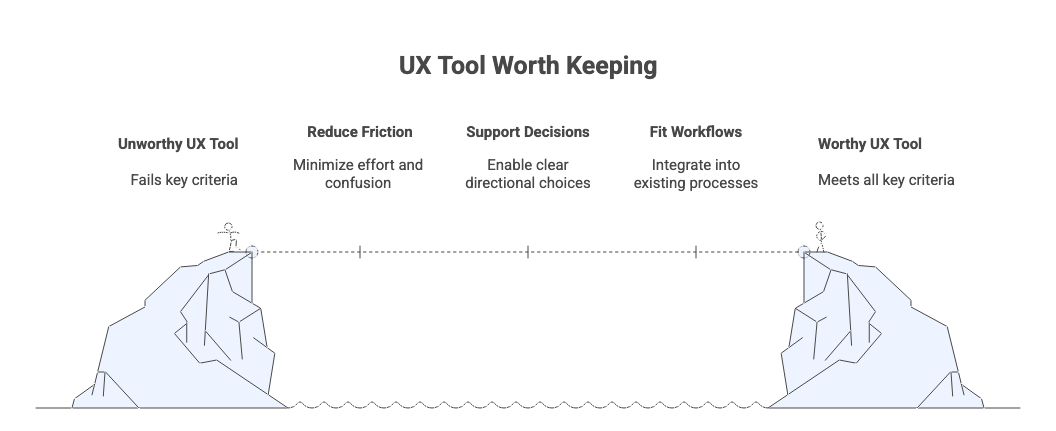
A tool earns its place if it:
• Reduces friction
Friction means unnecessary effort or confusion during work.
• Supports real decisions
Decisions mean clear choices about direction, not just outputs.
• Fits into existing workflows
Workflow means how work moves from idea to outcome.
• Produces reusable insight
Reusable insight means learnings that inform more than one project.
• Is actively used
If a tool is not used weekly, it is likely noise.
If a tool fails two or more of these, it is a candidate for removal.
🎟️ UXCON26 tickets are live now,
At UXCON25, Lina Reynolds spoke candidly about moments of self-doubt, growth, and choosing to trust her experience even when the inner critic showed up uninvited. The takeaway was clear:
👉 Your confidence should be your closest ally, especially when the room feels intimidating.
These are the conversations that define UXCON, not just design systems and frameworks, but the mindset that helps designers own their voice and show up fully.
UXCON26 tickets are live now, grab yours today
What to keep in your 2026 UX stack
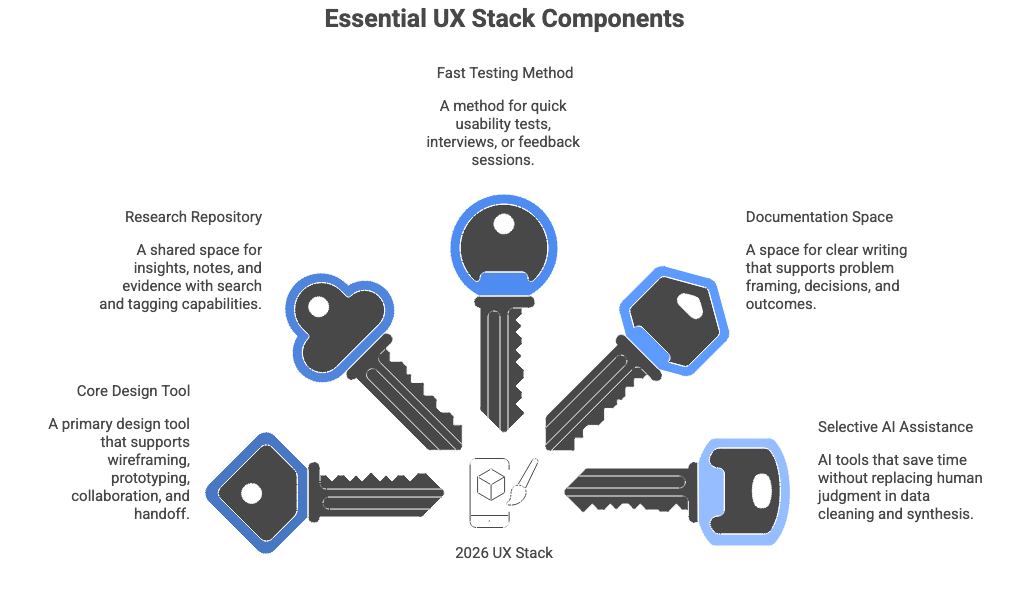
1. One core design tool
Keep one primary design tool that supports:
• Wireframing
• Prototyping
• Collaboration
• Handoff
Depth matters more than variety.
Mastery beats tool hopping.
2. One lightweight research repository
Keep a single place where research lives.
A research repository means a shared space for insights, notes, and evidence.
It should support:
• Search
• Tagging
• Quick summaries
• Cross-project learning
Avoid tools that turn insight storage into busywork.
3. One fast testing method
Keep a method that lets you learn quickly.
This could be usability tests, short interviews, or rapid feedback sessions.
Speed matters because decisions compound.
Learning delayed is learning lost.
4. One writing-friendly documentation space
Keep a space where thinking is written clearly.
Writing clarifies thinking.
This space should support:
• Problem framing
• Decisions
• Trade-offs
• Outcomes
Slides are optional. Clear writing is not.
5. Selective AI assistance
Keep AI where it saves time without replacing judgment.
AI assistance means tools that help summarize, cluster, or draft.
Use AI to:
• Clean data
• Speed up synthesis
• Draft first passes
Do not use AI to define meaning.
What to drop from your 2026 UX stack
1. Redundant tools
If two tools do the same thing, keep the simpler one.
Redundancy slows teams down and fragments insight.
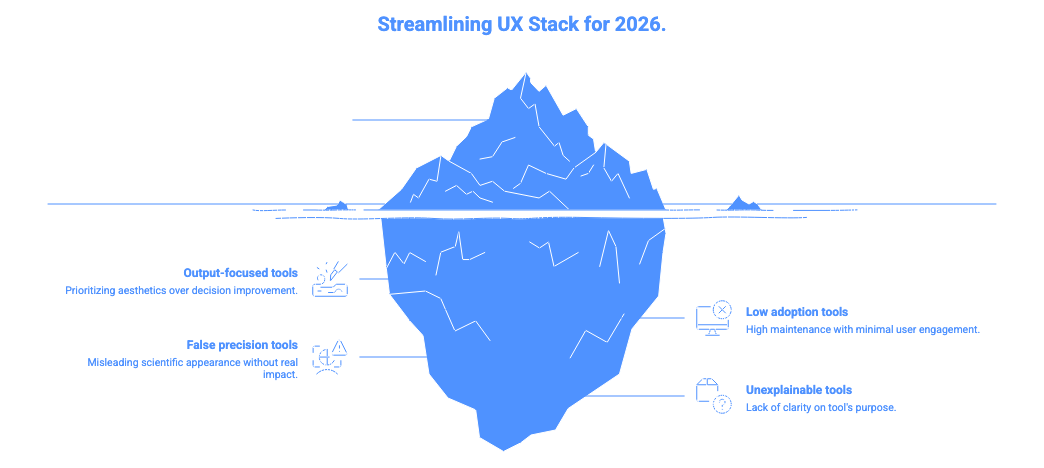
2. Tools that optimize outputs, not outcomes
If a tool makes prettier artifacts but does not improve decisions, drop it.
Artifacts are deliverables. Outcomes are results.
3. Heavy research tools with low adoption
If a research tool requires constant maintenance and few people use it, it becomes a burden.
A burden tool consumes time without returning value.
4. Tools that create false precision
Some tools produce charts and scores that look scientific but do not influence decisions.
False precision creates confidence without clarity.
5. Tools no one can explain
If no one can clearly say what a tool is for, it does not belong in the stack.
What to rethink instead of replace
Not everything needs to be dropped or kept. Some things need reframing.
1. Research cadence
Instead of more tools, adjust how often you learn.
Smaller, frequent studies beat large, infrequent ones.
2. Documentation habits
Reduce volume. Increase clarity.
Short, decision-focused docs beat long reports.
3. Collaboration rituals
Sometimes the problem is not the tool.
It is how teams talk, share, and decide.
Tools amplify habits.
They do not fix them.
Resource Corner
Final Thought
Your UX stack should feel calm.
When tools support thinking instead of competing for attention, teams move faster and make better decisions.
In 2026, the strongest UX teams will not have the biggest stacks.
They will have the clearest ones.
Keep what sharpens judgment.
Drop what creates noise.
Everything else is optional.


