


AI products do impressive things.
But users do not trust impressive systems by default.
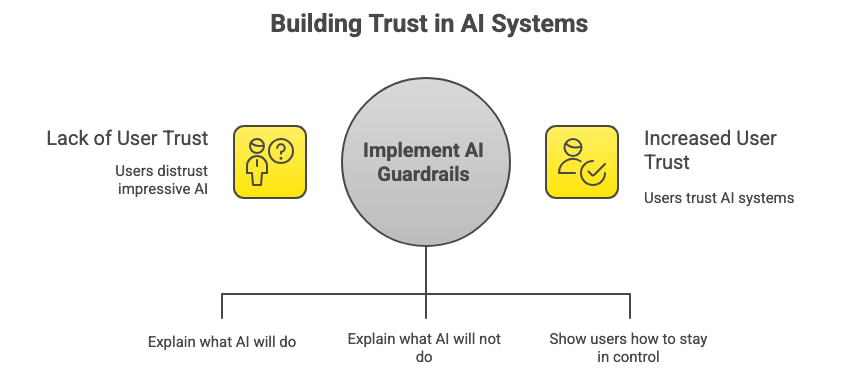
Trust is not built by saying “this AI is safe.”
It is built by showing people what the system will do, what it will not do, and how they stay in control.
This is where AI guardrails come in.
In This Issue
• What AI guardrails are
• Why users need them
• The four types of guardrails users understand
• How to design guardrails clearly
• Real examples
• Common mistakes
• Resource Corner
What AI guardrails are
AI guardrails are the limits and rules that guide how an AI system behaves.
AI guardrails explain:
• What the AI can do
• What the AI cannot do
• When the AI might make mistakes
• How users can correct or override it
In simple terms, guardrails are how you prevent surprise behavior.
Surprise behavior means outcomes users did not expect or cannot explain.
Why users need AI guardrails
People trust systems they can predict.
Predictability means users can reasonably guess what will happen next.
Without guardrails, users experience:
• Confusion
• Fear of making mistakes
• Loss of control
• Overreliance on the system
• Complete distrust
Guardrails do not limit users.
They protect users.
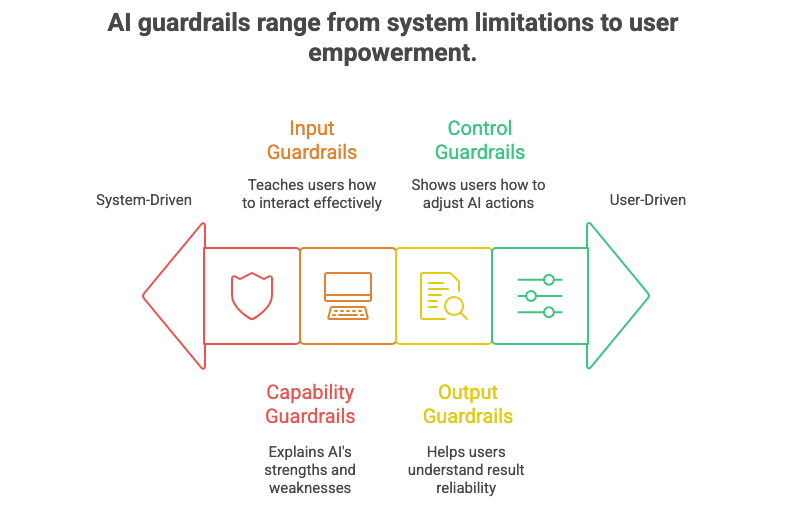
The four types of AI guardrails users understand
These guardrails work because they match how people think.
1. Capability guardrails
Capability guardrails explain what the AI is good at and what it is not.
Example:
“This tool summarizes meetings. It does not make decisions for you.”
This helps users set expectations early.
Expectation means what users believe the system will do before using it.
2. Input guardrails
Input guardrails teach users how to interact with the AI.
Example:
“Results improve when you provide clear instructions.”
This prevents users from blaming the system for poor input.
Input means the information a user gives the AI.
3. Output guardrails
Output guardrails help users understand how reliable the result is.
Example:
“This response is a draft. Please review before sharing.”
This reduces blind trust.
Blind trust means accepting results without understanding limitations.
4. Control guardrails
Control guardrails show users how they can adjust or undo AI actions.
Example:
“You can edit, regenerate, or revert this output at any time.”
Control builds confidence.
Confidence means users feel safe experimenting.
How to design guardrails users actually understand
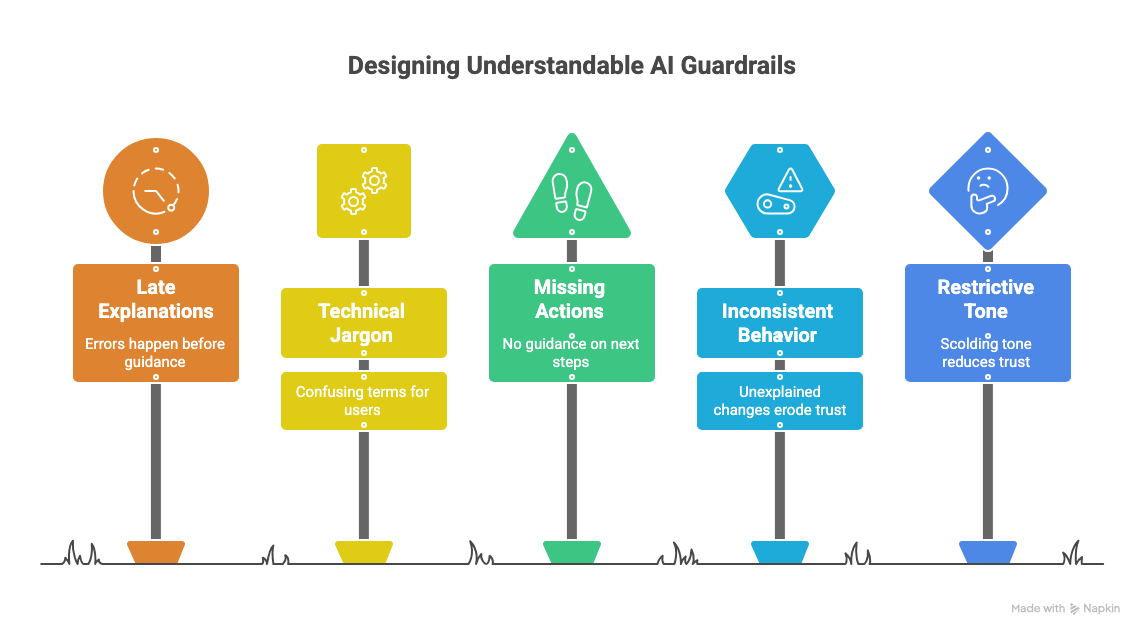
Good guardrails are visible, simple, and calm.
1. Show guardrails before problems happen
Explain limits early, not after errors.
Early guidance prevents frustration.
2. Use everyday language
Avoid technical terms.
Say what the AI does in plain words.
Plain language means language a first-time user understands immediately.
3. Pair guardrails with action
Every guardrail should tell users what to do next.
Example:
“If this looks incorrect, try adding more details.”
4. Keep guardrails consistent
Do not change behavior without explanation.
Consistency builds trust over time.
Consistency means the system behaves the same way in similar situations.
5. Make guardrails feel supportive, not restrictive
Guardrails should guide, not scold.
Tone matters.
A calm tone increases trust.
Where UXCON Fits In
The UX industry is shifting... fast.
AI is rewriting the way we work, teams are demanding business outcomes, and careers are moving through rooms, not résumés.
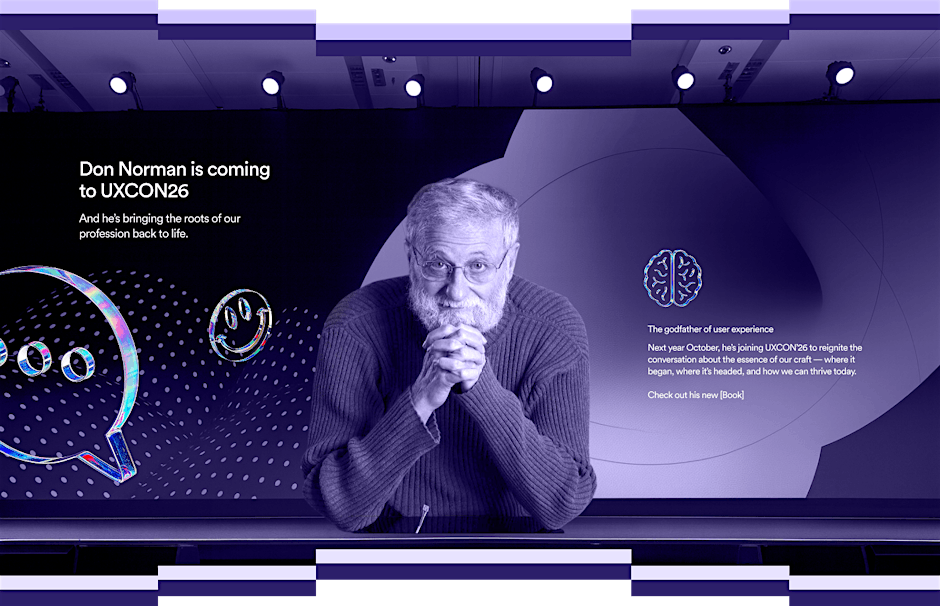
That’s why UXCON26 matters.
It’s not just talks and workshops... it’s where the people shaping the field show up.
This year, we’re joined by Don Norman whose work defined User Experience before most of us even had the title.
Because the future of UX won’t be decided on Twitter threads or slides.
It’ll be shaped in conversations, in debates, and in the rooms where perspective and community collide.
If you’re ready to evolve with the field, connect with the right minds, and learn from the voices who built it, this is your moment.
Examples users respond well to
Example 1: AI writing tool
Guardrail:
“This draft may need editing. You stay in control.”
Why it works:
It encourages review without fear.
Example 2: AI recommendation system
Guardrail:
“These suggestions are based on your recent activity. You can adjust preferences anytime.”
Why it works:
It explains the logic and offers control.
Example 3: AI health assistant
Guardrail:
“This information is not a diagnosis. Please consult a professional.”
Why it works:
It sets clear boundaries and protects users.
Example 4: AI image generator
Guardrail:
“Results vary based on prompt detail. Try refining your description.”
Why it works:
It teaches users how to get better results.
Common mistakes
• Hiding guardrails in help docs
• Using legal language users do not read
• Explaining limits only after failure
• Making guardrails feel like warnings
• Overloading users with rules
Guardrails fail when they feel like punishment instead of guidance.
Resource Corner
What Are AI Guardrails? Building Safe and Reliable AI ...
How to Use Guardrails to Design Safe and Trustworthy AI
Essential AI agent guardrails for safe and ethical ...
Final Thought
Users do not trust AI because it is powerful.
They trust it because it is understandable.
When people know what a system can do, what it cannot do, and how to stay in control, trust grows naturally.
Good AI guardrails do not reduce capability.
They increase confidence.
Design for clarity. Design for predictability. Design for trust.


